Archive: Podcasting Q&A from BarCampLA-3 – March 24, 2007

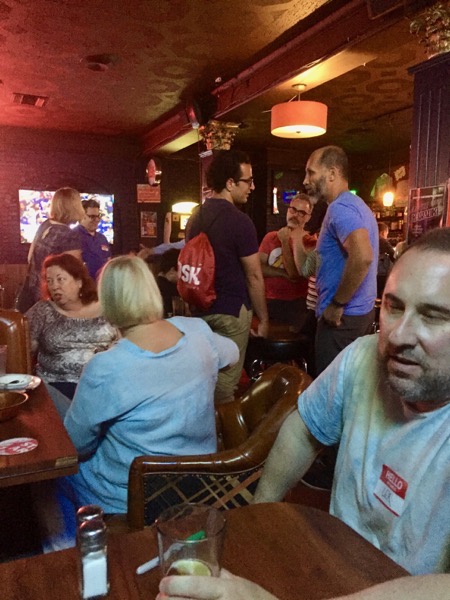
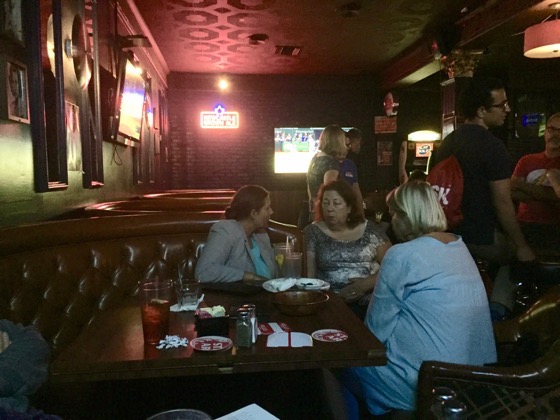
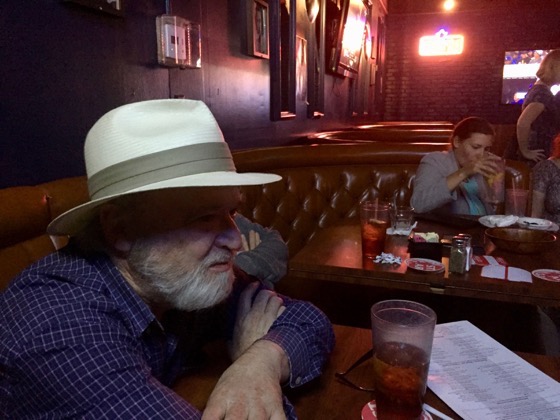
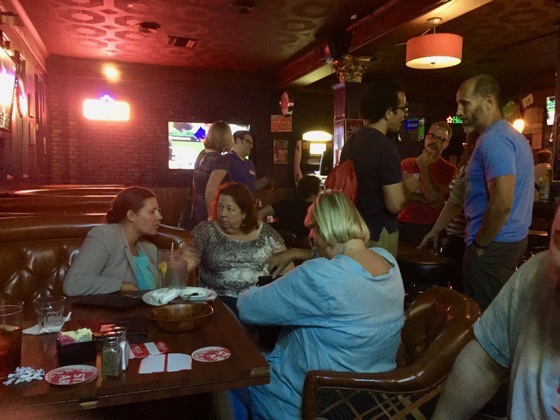
This recording from BarCampLA-3 is a great introduction to podcasting, so I wanted to re-release it for those who may have missed it when it first appeared. I talk about recording, web hosting and podcast hosting, RSS feeds and more.


Podcasting Q&A from BarCampLA-3 – March 24, 2007

Listen to this presentation

BarcampLA-3:  Registration

Flipboard Mobile Magazine App now allows users to create their own magazines

I saw an announcement today from Flipboard, that their latest version for iOS devices (iPhone, iPad, iPod Touch) now allowed users to curate their own magazines and make them available for other Flipboard users. This is accomplished through the a new content curation and search system in the app or via a web bookmarklet.

A complete description of this new feature can be found in this blog post on the Flipboard site: 

To test out the new features, I created magazines for each of my blogs and loaded the last several posts into them. Here are some screenshots from the iPhone version of the Flipboard app.

2013 03 26 19 46 35 2013 03 26 19 46 27

To use the Flipboard +FlipIt (Add to Magazine) bookmarklet, you first drag the bookmarklet to your Bookmark Bar. Then load up the blog post or web page you wish to add to the magazine and click the bookmarklet. The screen below then allows you to create a new magazine, select an existing magazine and also share it to various social media sites.

Flipboard bookmarklet

One complaint on the publisher side is that Flipboard users cannot easily discover and add these new magazines to their Flipboard. They must do a search on the name or author of the magazine and then add it from there. I think a one-touch solution would be better for both the publisher and the end user.

New Media Gear 017: Blue Microphones Icicle XLR to USB Mic Converter/Mic Preamp

New Media Gear 017: Blue Microphones Icicle XLR to USB Mic Converter/Mic Preamp

This is another piece of podcasting and audio recording gear that I have seen mentioned  numerous times. It has been around for a while but could still be an interesting piece of gear for new podcasters.

The Blue Icicle allows you to convert any standard XLR connected microphone into a USB microphone that can be plugged directly into your computer. This a great way of providing some flexibility in where and how you use your microphones. It also allows you to start off with the more standard XLR mics so that you don’t have to upgrade from a USB only mic as your podcasting work grows.


Blue Microphones Icicle XLR to USB Mic Converter/Mic Preamp

 Product Features from Amazon.com:

  • Plug and record
  • Studio Quality USB microphone preamp
  • Supplies 48V phantom power for condenser microphones
  • No special drivers required
  • Fully balanced low noise analog front end

Previously on New Media Gear:


Subscribed 30: Tod Maffin: Making the Digital World Human Again

Subscribed is my series highlighting the Podcasts, YouTube Channels and Blogs that I follow on a daily basis. Check out this entry, and past entries, for some great New Media Content — Douglas

Tod maffin

Tod Maffin: Making the Digital World Human Again

Lots of great New Media advice to be had here on Tod’s site. Blog posts on improving how to you set up and use YouTube, blogs, podcasts and more. It is always a pleasure to find Tod’s content in my RSS stream.

Recent blog posts:

  • The Secret of the Red-Bold Email
  • CBC Radio “Real Life Chronicles” Shows
  • Switching from WordPress.com to the Self-Hosted WordPress
  • YouTube’s Secret Link That Will Boost Your Channel Subscribers

FromTod’s web site…

“Tod Maffin is one of North America’s leading digital marketing experts, specializing in viral and ROI-based campaigns for sectors from human resources to real estate to education.

Maffin, president of engageQ digital, is one of the country’s go-to commentators on the impact of accelerated technological change and innovation on the business and economic environment and can speak to every aspect of technology and resulting implications for the world in which we live.

Link: Tod Maffin: Making the Digital World Human Again

What are some of your favorite Subscriptions? Share them here in the comments!

Previously highlighted on Subscribed:

New Media Vocabulary: Widget/Web Widget

New media vocab logo

New Media Vocabulary: Widget

“In computing, a web widget is a software widget for the web. It’s a small application with limited functionality that can be installed and executed within a web page by an end user. A widget has the role of a transient or auxiliary application, meaning that it just occupies a portion of a webpage and does something useful with information fetched from other websites and displayed in place. Other terms used to describe web widgets include:[citation needed] portlet, web part, gadget, badge, module, webjit, capsule, snippet, mini and flake. Widgets are typically created in DHTML, JavaScript, or Adobe Flash.

Widgets often take the form of on-screen device (clocks, event countdowns, auction-tickers, stock market tickers, flight arrival information, daily weather etc.).” – Wikipedia.org

Widgets are an important part of any web site these days. Myself alone I use widgets of some sort on nearly any page of my blogs or web site. I use them to link to Amazon books, cookbooks from Cookbook Cafe, show off my Twitter follower, Facebook or Google+ follower numbers and much more. Widgets allow anyone, regardless of their prowess with HTML, include high-end (and very useful features) on their web sites without having to write their own programs.

YouTube videos which are embedded in blogs and web sites are another great use for a “widget.” Bloggers need only copy the provided code from YouTube and then paste that code into their pages or blog post.  These “embeds” allow the easy spreading of content while still rewarding the original content creator.

For more information on Widget/Web Widget:

Previously on New Media Vocabulary:

New Media Tip: Linking and Embedding specific sections of a YouTube video

When sharing YouTube videos, we often just link to the entire video and let people decide what they want to watch. While this is fine for short videos, sometimes we would rather refer people to just a specific portion of a much longer video. Perhaps we are highlighting a quote, tip or idea.

YouTube provides some basic tools for specifying a start time when linking or embedding a video, but with the addition of a few parameters to the video URL, you can direct viewers to a very specific segment.

For example, if you are linking or embedding a video, you will see these options on the YouTube page:

Youtube link 1

If you check the checkbox, you can either enter in a time, or the time will be taken from the point where you are currently viewing in the video.

This results in a URL in the form of: http://youtu.be/E-GekEZOwLQ?t=11m54s . The video will start playing at this point and continue unit the end.

If you want want to specify both a start and end time, then you will need to add a few different parameters to the YouTube URL.

http://www.youtube.com/v/[video_id]&start=[start_at_second]&end=[end_at_second]&version=3)

In this example, you would need to replace the bracketed sections above with the appropriate settings.

http://www.youtube.com/v/E-GekEZOwLQ&start=714&end=760&version=3

This could link people to the appropriate video, launch it full screen and start playing at the appropriate spot when they click Play.

To embed a video in your blog or web page which does the same thing, you can include the start and end parameters in the standard YouTube iframe embed code.

First, copy the standard embed code from the YouTube video page:

Youtube embed 1

Then add the start and end parameters, so that the code looks like this:

<iframe width=”500″ height=”281″ src=”http://www.youtube.com/embed/E-GekEZOwLQ?start=714&end=760″ frameborder=”0″ allowfullscreen></iframe>

..and here is the resulting YouTube video…

While making these embeds of specific video section does require adding a little information to the standard embed, it should be straightforward enough for anyone to accomplish.

Do you have further questions about YouTube linking and embedding? Add your questions and comments below and I will add additional information.

New Media Gear 016: Peter Lythgoe of Zzipp and Co. Podcast from Weymouth, UK (Part 3 of 3)

New Media Gear 016: Peter Lythgoe of Zzipp and Co. Podcast from Weymouth, UK (Part 3 of 3)

Peter is the producer and host of the Zzipp and Co. Podcast and uses a variety of equipment in producing his shows. He was kind enough to break out his equipment in 3 parts, including hist audio studio equipment, his video interview equipment and the equipment for the video studio he is currently building. Since her has so much equipment to share, I will present his New Media Gear in 3 parts, too. This posts details Peter’s studio equipment.

New Media Equipment:

If you have any questions about Peter’s podcasting equipment, please drop them in the comments or in the Facebook Podcasting Community.

Previously on New Media Gear:


Subscribed 029: CookAppeal – Food-Wine-Fun

Subscribed is my series highlighting the Podcasts, YouTube Channels and Blogs that I follow on a daily basis. Check out this entry, and past entries, for some great New Media Content — Douglas

Cookappeal

CookAppeal

This is another one of the many food blogs I follow. I regularly re-pin and repost interesting items from all these blogs. They also help me keep in touch with what is happening in food all over the US and even other parts of the world.

Recent recipes and articles from CookAppeal include Apple-General Tso Glaze Stuffed Cornish Hen, Cherry-Lemon Pecan Cake and 5 Spices Beneficial to Your Health.

From the CookAppeal web site…

“I experiment with Flavors”… Elizabeth Stelling, hails from her home state of Texas and has been involved in the food industry via institutional, fast food, B&B’s, ethnic eateries and other restaurants since she was fourteen. Now living n New Jersey she has ran her own cafe, teaches culinary classes, runs a small boutique catering and staffing business, restaurant consulting for NJWBO, is a personal chef and shares her love of cooking with local, organic, healthy, and natural ingredients with the community. Chef E is a member of Slow Food and the American Wine Society, Princeton, New Jersey. She has published written works of poetry and media pieces, as well as ran Open Mics in the Princeton, NJ area.”

Link: CookAppeal

What are some of your favorite Subscriptions? Share them here in the comments!

Previously highlighted on Subscribed:

New Media Vocabulary: Affiliate Marketing

New media vocab logo

New Media Vocabulary: Affiliate Marketing

Affiliate marketing is a type of performance-based marketing in which a business rewards one or more affiliates for each visitor or customer brought about by the affiliate’s own marketing efforts. The industry has four core players: the merchant (also known as ‘retailer’ or ‘brand’), the network (that contains offers for the affiliate to choose from and also takes care of the payments), the publisher (also known as ‘the affiliate’), and the customer. The market has grown in complexity to warrant a secondary tier of players, including affiliate management agencies, super-affiliates and specialized third party vendors. — Wikipedia.org

The world of affiliate marketing can be extremely complex, with some affiliates using detailed model to understand which products they should sell and represent, but for most New Media producers, affiliate marketing takes a much simpler line. Affiliate Marketing can be an easy way to help monetize videos, podcast and other New Media properties (like blogs).

For myself, I engage in 3 affiliate relationships at the their most basic level. These affiliations will probably be familiar to you. They include Amazon Associates, where I can link to, and receive fees for, linking to items in the Amazon stores whenever any of my visitors make a purchase. I also use Google Adsense, which allows me to place ads on my web sites and YouTube videos and gain impression and click through earnings for viewer and visitors. Finally, I also host job listings form SimplyHired’s Jobamatic system and earn revenue on click through to various job listing as well as jobs offered ads that are directly targeted to my site.

In these systems, businesses provide products or sell advertising (in the case of Adsense) and then I am paid a “cut” of that revenue whenever my visitors take a particular action. In the case of Amazon, I gain between 4%and 6% of sales made using my affiliate ID. Google Adsense pays for a variety of actions including impressions (a visitor views the advertisement), click through (a visitor clicks on the advertisement) or and action (user clicks through and then completes some action required by the advertiser). Each of these pays at a slightly higher rate due to the commitment required by the visitor.

You can also take affiliate marketing to higher level by deciding to affiliate with specific products, authors, books, software and more. The entire industry of affiliate marketing can be quite complex, so more more information I refer you to the links below.

For more information on affiliate marketing:

Previously on New Media Vocabulary:

New Media Gear 015: Audio-Technica ATR2100-USB Cardioid Dynamic USB/XLR Microphone

New Media Gear 015: Audio-Technica ATR2100-USB Cardioid Dynamic USB/XLR Microphone

I first heard about this microphone from Richard Cleveland over at Naked Ape Productions during one of his Podcast U panel discussions. I mentioned this microphone to my personal friend,  Michael Lawshe, who is an expert in all things audio (and multi-Emmy Award winner) and he happened to drop one by when we met for dinner last night.

First Impressions: Audio-Technica ATR2100-USB Micrphone - 12

First Impressions: Audio-Technica ATR2100-USB Micrphone - 4First Impressions: Audio-Technica ATR2100-USB Micrphone - 6First Impressions: Audio-Technica ATR2100-USB Micrphone - 8

First Impressions: Audio-Technica ATR2100-USB Micrphone - 14First Impressions: Audio-Technica ATR2100-USB Micrphone - 10

The microphone package include the mic itself, a mic clip and small plastic mic stand, an XLR microphone cable and a USB cable. As you might notice from the cables included, the ATR2100-USB, has a special feature which I have not seen in many other microphones. Instead of being a USB-only mic like the Blue Snowball or Rode Podcaster, the ATR2100 includes connections and electronics so it can be used either as a USB microphone connected directly to your computer with out a mixing board or as a standard dynamic microphone connected via XLR to a mixer.

This dual connectivity makes this a great mic for those who are just getting started in podcasting or other audio recording and yet allows them to step up to a mixing board and other equipment while still using the same microphone. Additionally, when recording with USB-only microphones, real time monitoring of your recording can be a problem due to the USB induced processing delay. The ATR2100-USB works around this issue by including a headphone jack directly on the microphone itself, so you can easily monitor in real time even when connected via USB. Other USB microphones have included this much needed feature in the past, such as the Rode Podcaster, and it is great to see other manufacturers alleviating the monitoring issue with their designs. I know for myself that it is very important to be able to monitor myself as I record. It helps me to catch mumbled words, overly fast speech and poor pronunciations which I might not notice otherwise.

As a demonstration, I have recorded this blog post as an audio podcast, too, so you can hear the microphone in a real world situation using both the USB and XLR modes.

Listen to this microphone demonstration

Everything up to here has been recored using the USB connection on the ATR2100. Now I will switch to the XLR connection using my small mixing board.

As with any handheld mic, shock isolation js important. You don’t want to pick up any noise from your hand on the microphone itself. This is often where many less expensive microphones and recorders with built-in mic fail greatly. As you can hear, I am moving the microphone around in my hand and while it is picking up a bit of noise, if you hold the mic firmly you might not notice it at all. The included plastic mic clip and tabletop mic stand is enough for most beginners to get started, although most would probably want to move up to a more robust, metal, stand fairly quickly.

Unfortunately, the headphone level form the microphone was at a very low level for my own personal tastes. I would prefer much more volume when recording and playing back what I have recorded. The mic has a headphone volume control, but it did not seem to the effect the output volume much at all. Instead the volume control seemed to be trying to change the overall volume on my Macintosh.

The recording level was quite good even when placed on a desktop at some distance from my mouth. If you want more input level, of course, you can move closer to the mic although then you would want to use a pop filter cut down on the popping sounds of consonants and plosives like P’s and B’s. In this podcast I have used the mic at a fairly close proximity and included the use of a pop filter.

Based on my short time with the microphone, and recommendations from others, I would consider this a great microphone for its price. Amazon currently lists it for around $40 US. I have been impressed with the overall recording quality even here in this rough demonstration. I haven’t taken any time to really adjust the microphone in any way, but simply plugged it in, adjusted the recording level and made this recording using Apple’s GarageBand software.

If you’d like more information on the ATR2100-USB, you can find links not the web site as part of this blog post. Visit DouglasEWelch.com/newmedia/ to find them.

Audio-Technica ATR2100-USB Cardioid Dynamic USB/XLR Microphone

Product Features from Amazon.com:

  • Handheld dynamic microphone with USB digital output and XLR analog output
  • USB output connects to your computer for digital recording, while the XLR output connects with your sound system conventional microphone input for use in live performance
  • Smooth, extended frequency response ideally suited for podcasting, home studio recording, field recording, voiceover, and on-stage use
  • Built-in headphone jack allows you to directly monitor your microphone output without audible delay
  • Cardioid polar pattern reduces pickup of unwanted sounds from the sides and rear
  • Dynamic Microphone With Usb Digital Output & Xlr Analog Output
  • Usb Output Connects To Computer For Digital Recording, While The Xlr Output Connects With Sound System’S Conventional Microphone Input For Use In Live Performance
  • Built-In Headphone Jack With Volume Control

If you have any questions about Peter’s podcasting equipment, please drop them in the comments or in the Facebook Podcasting Community.

Previously on New Media Gear:


Archive: Douglas talks Careers and New Media with Bigg Success – March 10, 2010

Originally appeared on BiggSuccess.com

Bigg Success Podcast LogoCareer Success with New Media

We were happy to visit with Douglas E. Welch today on The Bigg Success Show today. Douglas is an expert on building the career you deserve and spreading the word about your talents using social media. Among other things, he’s the host of two great blogs and podcasts: Career Opportunities and Careers in New Media. Here’s a recap of the conversation:

Read Douglas talks with George & Mary-Lyn on The Bigg Success Show! with complete text transcript.

Listen to Douglas talk with George & Mary-Lyn on The Bigg Success Show!

Subscribed 028: City Farmer News

Subscribed is my series highlighting the Podcasts, YouTube Channels and Blogs that I follow on a daily basis. Check out this entry, and past entries, for some great New Media Content — Douglas

City Farmer News

City farmer news

I like to keep a eye on what is happening in the world of urban agriculture and City Farmer News helps greatly in that area. They post a wide variety of urban agriculture stories including, recently, Portland State University survey of Urban Agriculture, Bitponics: Where Urban Agriculture Meets The Internet Of Things and Urban agriculture and food: between public policies and local initiatives.

From the City Farmer News web site…

Shoemakers, fashion models, computer geeks, politicians, lawyers, teachers, chefs … all city dwellers … all can grow food at home after work in back yards, community gardens or on flat roofs. For the past 35 years, City Farmer has encouraged urban dwellers to pull up a patch of lawn and plant some vegetables, kitchen herbs and fruit. Our message is the same today as it was in 1978 and will be relevant far into the future.

This website is a collection of stories about our work at City Farmer here in Vancouver, Canada, and about urban farmers from around the world. The site is maintained by City Farmer executive director, Michael Levenston.

Link: City Farmer News

What are some of your favorite Subscriptions? Share them here in the comments!

Previously highlighted on Subscribed:

New Media Vocabulary: Noise Floor

New media vocab logo

New Media Vocabulary: Noise Floor

While I have linked to some much more technical descriptions of noise floor below, for me (and I assume the average new media producer) the noise floor is the base level of noise in your recording environment. For me, this includes ambient wind noise outside my windows, the hiss of the pilot light on my gas fireplace, fans on my computers and probably a thousand other small noise sources I don’t even notice on a daily basis. All of these combined create my “noise floor”.

The noise floor is the overall hiss or buzz you hear in your recordings and in some worst scenario cases, it can almost overwhelm the “signal” you are trying to record i.e. your voice, your music, etc. The noise floor is also an issue when you find that you have recorded at too low a level and try to raise the overall volume of the recording to an acceptable level. Unfortunately, raising the overall level also amplifies the noise that was recorded beneath your voice or music. In the worst case, this noise will be so overwhelming that you will not be able to use the recording at all. Yet another reason to insure that you are recording at an optimal level when producing your audio or video podcasts.

You always want to try and reduce your ambient noise as much as possible, but without a professionally designed recording studio, there will be limits on how much noise you can prevent, so careful management of recording levels is a must.

For more information on noise floor:

Previously on New Media Vocabulary:

New Media Gear 014: Peter Lythgoe of Zzipp and Co. Podcast from Weymouth, UK (Part 2 of 3)

New Media Gear 014: Peter Lythgoe of Zzipp and Co. Podcast from Weymouth, UK (Part 2 of 3)

Peter is the producer and host of the Zzipp and Co. Podcast and uses a variety of equipment in producing his shows. He was kind enough to break out his equipment in 3 parts, including hist audio studio equipment, his video interview equipment and the equipment for the video studio he is currently building. Since her has so much equipment to share, I will present his New Media Gear in 3 parts, too. This posts details Peter’s video equipment.

New Media Equipment:

 Giant squid 

Here is an interview I did with Peter about the special needs and specific uses of local podcasting:

If you have any questions about Peter’s podcasting equipment, please drop them in the comments or in the Facebook Podcasting Community.

Previously on New Media Gear:


New Media Prescription: Don’t “Complain to the Choir” when producing New Media

We need to talk…

One of the great strengths of New Media — be it blogging, videos, photos, social media — is the ability to connect directly to your audience. You don’t have any middlemen distorting your message or otherwise getting in the way. Unfortunately, this also means you don’t have someone watching over your shoulder to gently nudge you and say, “Perhaps you might want to re-think that.”

One common trap I see for New Media producers is, what I all, “Complaining to the Choir.” Like the age old adage against “preaching to the choir”, it is to be avoided for a number of reasons. First of all, though, what does it mean when you are “Complaining to the Choir?” It means to complain to those people who are actually the opposite of those you want to address.

When things aren’t going well for a new media producers — videos are getting liked, viewed or shared — blog posts are being ignored — revenue isn’t coming in — producers can spend entire posts, videos or podcasts complaining about the issue. They’ll cajole, they’ll berate, they will express their sadness and their fear that they might have to go back to their old way of work. As a fellow producer, I can empathize with them. Being a producer means facing criticism, nasty feedback, Internet trolls and other burdens on a daily basis. That said, I also understand that bringing this negativity into a show or blog can have exactly the opposite effect they wish to have. Focusing on the negative can actually reduce views, downloads and readers ben further , if you do it too often.

As a producer, your best approach is to ignore the negativity and simply move on to your next production. Focusing on the negative will only depress you further.

Here is why “Complaining to the Choir” is such a bad idea:

  • You annoy your biggest supporters

It is a simple fact that those a producer would most like to reach with their message probably aren’t watching, listening or reading anyway. Instead you are complaining to your biggest supporters — and perhaps driving them away, too. Your supporters come to your blog, your video, your podcasts because they love the content you produce. If you produce a show full of complaints and low on content, you are actively disrespecting their support. It is like a preacher complaining to the choir that no one comes to church anymore, even those these people do come to church AND also participate in other ways.

  • You produce yet another show with low viewership, low likes and low shares

When you produce a complaining show, you are expanding the effect you are complaining about and driving your ratings even lower. It is fair to say that a show filled with complaints, directed at the wrong people, is sure to garner less views and popularity than one of your traditional, content rich show. I had that very experience today. I watched the complaining show, but I could not bring myself to click the Like button, as I couldn’t honestly recommend it my followers as a show they should watch. They wouldn’t find it enjoyable and I would feel that I had offered a bad recommendation.

  • Complaints don’t drive success, great content does

While I can understand producers feeling worried and upset over various issues, it is always important to remember that content, not complaints drives your success. Viewers don’t really care if you are struggling. They come for the great content and many will support you by clicking Like or subscribing. If you want to truly have an effect on your issues, produce more great content. It is the only thing that matters. It is the only thing that will attract the support you need and desire.

  • Share your personal life, but perhaps not your producer life

Producing new media can be a lonely world, but beware of sharing your feelings about your show with your audience. They probably don’t care. Sure, you can share your thoughts about other personal issues, life changes, struggles, etc, but when you bring your producer complains to the conversation a subtle line is crossed. People lose sight of you as a person and start to think of you as just another faceless media drone. Viewers love to know more about your personal life, but they don’t really care about the nitty-gritty of being a producer. Most viewers don’t want to know “how the sausage is made” as long as it results in great content.

The next time you are feeling worried or depressed about your New Media productions and their success, seek out a close personal friend or a New Media user group to air your complaints and worries. Don’t take them to your audience. Your complains do nothing to benefit the audience and can only harm your standing with them.

Now, get back to work and produce something GREAT!

Books on Hold: Blog, Inc.: Blogging for Passion, Profit, and to Create Community by Joy Deangdeelert Cho

Books on Hold is a blog series dedicated to books I have seen in passing and requested from my local library. See more in the series at the end of this blog post. — Douglas

As I move the my career more in the direction of blogging and other New Media pursuits, I am happening across more and more books like this. Certainly worth a read to see if there is anything I can glean from their experiences and advice.

Blog, Inc.: Blogging for Passion, Profit, and to Create Community by Joy Deangdeelert Cho

From Amazon.com…

With roughly 95,000 blogs launched worldwide every 24 hours (BlogPulse), making a fledgling site stand out isn’t easy. This authoritative handbook gives creative hopefuls a leg up. Joy Cho, of the award-winning Oh Joy!, offers expert advice on starting and growing a blog, from design and finance to overcoming blogger’s block, attracting readers, and more. With a foreword from Grace Bonney of Design*Sponge plus expert interviews, this book will fine-tune what the next generation of bloggers shares with the world.

Learn how to: – Design your site
- Choose the right platform
- Attract a fan base
- Finance your blog
- Maintain work/life balance
- Manage comments
- Find content inspiration
- Overcome blogger’s block
- Choose the right ads
- Develop a voice
- Protect your work
- Create a media kit
- Leverage your social network
- Take better photographs
- Set up an affiliate program
- Partner with sponsors
- Build community
- Go full-time with your blog
- And more!

* Discovered via Vale Design : Freelance Package Design & Branding by Erin Vale

Previously in Books on Hold:

Subscribed 027: Londonist

Subscribed is my series highlighting the Podcasts, YouTube Channels and Blogs that I follow on a daily basis. Check out this entry, and past entries, for some great New Media Content — Douglas

Londonist

Londonist logo

Having visited London twice now — and always itching to get back to the UK — I follow a number of Uk blogs, including Londonist. This is the UK division of the large scale Gothamist LLC which runs city blogs in a number of cities and countries. I also subscribe to my local version, LAist, here in Los Angeles.

I love seeing what is happening in the city and also love seeing those sites that I have seen on my travels there. I am an avowed anglophile and Doctor Who fan, so by immersing myself in the day-to-day happenings in this amazing city, I can live vicariously until I have the chance to visit in person again. 

Link: Londonist

What are some of your favorite Subscriptions? Share them here in the comments!

Previously highlighted on Subscribed: