 (Note: This post is intended for those who host their own WordPress installations, not those who use WordPress.com)
I have a regular monthly meetup with a couple other new media minded friends and today an interesting topic arose. All of use use WordPress to host one or more of our blogs. During the conversation we fell upon the topic of WordPress Database backups. If you use WordPress, it is imperative that back up this database regularly as it contains all your blog content.
Unlike a typical web site made from static HTML pages, WordPress stores all of its content in an SQL database. If you are new to WordPress, or your blog was set up by your web designer, you might not even realize this. This is where a lot of people run into trouble. Typically, it isn’t very easy to back up this database, even though it is critical. Most explanations talk about logging into the database using phpMyAdmin and performing a manual series of steps. This is clearly beyond the abilities of many bloggers, who just want to write their blog, not become a sysadmin, as well.
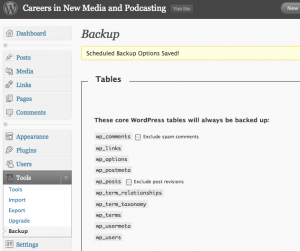
That said, there is an easy way to backup your WordPress Database and store it away for safekeeping — automatically. WordPress Database Backup is a great plugin that works automatically and will even email you your database so it can be backed up with your normal PC files. In my case, I setup a seperate Gmail address that collects and stores these backups in case I ever need them.
While the WordPress database is extremely important, you will also want to back up all the WordPress files in your blog directory using standard FTP tools. These contains all the source code, theme files, plugins and more that allow your blog to operate in conjunction with the database.
Backup your WordPress database today and regularly. If you don’t know how to do it, contact your web designer or web host and have them assist you. You don’t want to lose your blog to a preventable error.
Related articles by Zemanta
- Audio: Douglas talks WordPress with Small Business Hosting podcast (welchwrite.com)
- WordPress Tutorial – How to Change Your Theme or Install & Activate a New WordPress Theme (mcbuzz.wordpress.com)
- Five Free WordPress Templates To Dress Up Your Blog (makeuseof.com)
![Reblog this post [with Zemanta]](http://img.zemanta.com/reblog_e.png?x-id=db877065-d9e4-4e34-a32f-ba6572bf7cf4)
That’s a good point. My hosting company backs up my data on a regular basis, too, though. So, I usually don’t worry about losing my data.
While keeping your own backup might seem a little “belt and suspenders”, I have heard of several occasions where the ISPs backup failed for any number of reasons, so I think it is worthwhile to keep one. Especially when the Backup plugin makes it relatively painless.
As an aside, I try to keep a fairly recent backup of my entire web site locally just in case anything untoward happens. If a web host were to disappear, or screw up very badly, you may not access to your current web site so you could move it elsewhere. Writing this is a great reminder for me to do some more work on my local backup this week while it is fresh in my mind. Most is, but it is always the few stray pieces that get you, including photos uploaded via Blogger/Wordpress image upload.. Hmmm…more work for me. (SMLE)
There’s also the WordPress Backup plugin from Blog Traffic Exchange. It backs up your Uploads, Themes, and Plugins folders. That makes it a handy complement to the WP-DB-Backup plugin. I’ve had to restore WordPress from a database backup, and while it’s a little bit trickier than, say, importing when you move your blog to a new host, it’s fairly straightforward.
Pingback: Top 10 Posts from Careers in New Media for 2009